 Meshkeep
Your 3D print models, organized like a photo library.
Meshkeep indexes the STL, OBJ and 3MF files that already live on your disks and turns them into a browsable, searchable library with rendered previews, tags, favorites and collections. Nothing is uploaded, nothing is moved without asking.
Early builds. Microsoft Store release in preparation. Windows 10/11, x64.
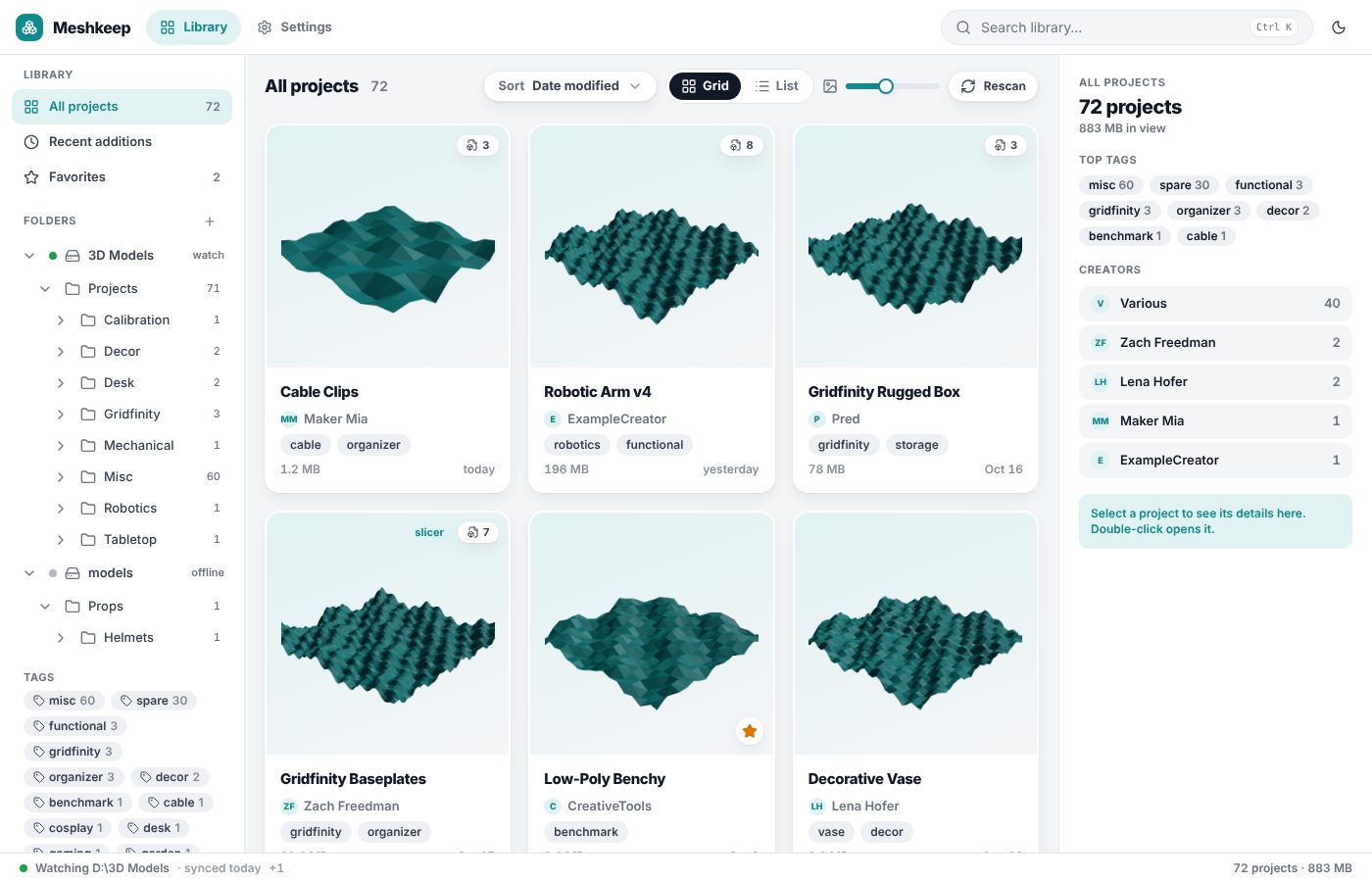
Rendered previews
Thumbnails for STL, OBJ and 3MF are rendered in the background and cached in the app. Slicer projects from PrusaSlicer, Bambu Studio and OrcaSlicer bring their own.
Instant search
Title, creator, tags, description and file names, as you type. Save a search as a smart collection.
Metadata next to your files
Tags, creator, license, source link and printing notes go into a small project.yaml beside the models. Readable, diff-friendly, yours.
Import that stays in control
Drop zips from Printables, MakerWorld or Thingiverse: review what becomes a project, then confirm. Loose files wait in an inbox.
Works with your folders
Network shares, external drives, OneDrive: offline folders keep their entries and come back when the drive does.
Local by design
No account, no cloud, no telemetry. Deletions go to the Recycle Bin, renames rename the folder on disk.
A look inside
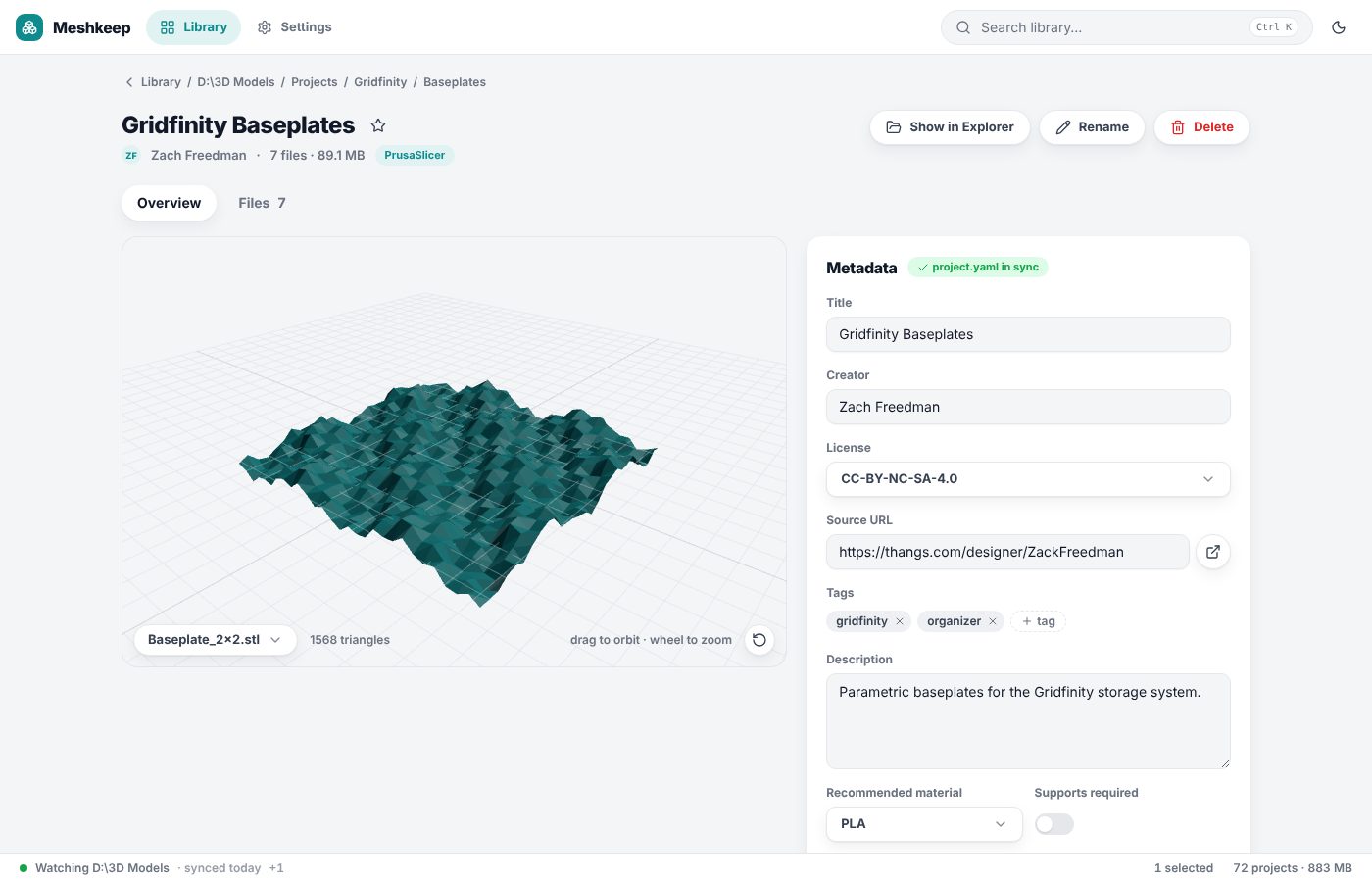
How it works
- Add the folders where your models live. Subfolders with model files become projects; download bundles with files/ or stl/ inside are recognized as one project.
- Previews render in the background while you browse. Nothing is written into your library.
- Tag, rate and collect. Edits create a project.yaml next to the files, only when you change something.
Download
- Dev channel: self-updating Windows installer from the latest commit. Not code-signed yet, so Windows SmartScreen asks once.
- Microsoft Store: in preparation.
- Source, issues and roadmap: GitHub.